How to Create a Music Video from a Single Photo and a Song
機械翻訳 / Machine-translated

chengzhi. xiao
3時間前・9分で読める

機械翻訳 / Machine-translated
@xiaochengzhi486
皆さん、こんにちは!👋 私は動画編集者です。AIを活用することで、制作プロセスをより簡単、迅速、そして楽しいものにできるのではないか――そんな可能性を探求することに、とてもワクワクしています。 私の主な仕事は、見栄えが良く、物語をしっかりと伝える動画を制作することです。アイデアの試作やビジュアル素材の生成から、映像の調整、そして最終的な仕上げに至るまで、制作ワークフローのさまざまな場面でAIを取り入れています。
Do you think you need a camera, filming equipment, and video editing software to make a music video?
Of course, in traditional video production, shooting and editing are essential steps. However, with the emergence of AI video generation tools, it has become possible to create visuals that match your music in a much simpler way.
If you already have a finished track and a single photo, you can use them as the basis for producing a music video.
In this article, we'll walk through the basic process of combining a photo and music to create an MV, along with key points to keep in mind during production.
Simply displaying a photo on its own would result in nothing more than a standard slideshow.
To create visuals that match the music, you need to consider camera movement, visual transitions, and timing with the track.
AI-powered video generation tools can automate some of these visual expressions.
For example, by taking an artist's portrait or album artwork and adding camera work and scene transitions, you can turn a still image into a music video with real movement.
Start by preparing the image that will serve as the centerpiece of your video.
The type of image you choose will greatly influence the overall impression of the finished video.
When choosing an image, it's important not only to consider resolution, but also whether it matches the mood of the song.
If you're making a video centered on a person, it's a good idea to choose an image where the face and mouth are clearly visible.
Next, prepare the audio file you'll use in the video.
If you're creating a short promotional video, you might use the chorus or a memorable phrase from the song.
If you want to bring the entire track to life visually, having the final master ready will make the production process smoother.
The tempo and mood of the music are also important factors in determining the direction of your visuals.
For instance, a slow ballad may pair well with gentle camera movement. On the other hand, for a faster-tempo track, cuts and shifts in perspective that match the rhythm can be very effective.
Once you have your photo and music ready, use an AI video generation tool to produce the video.
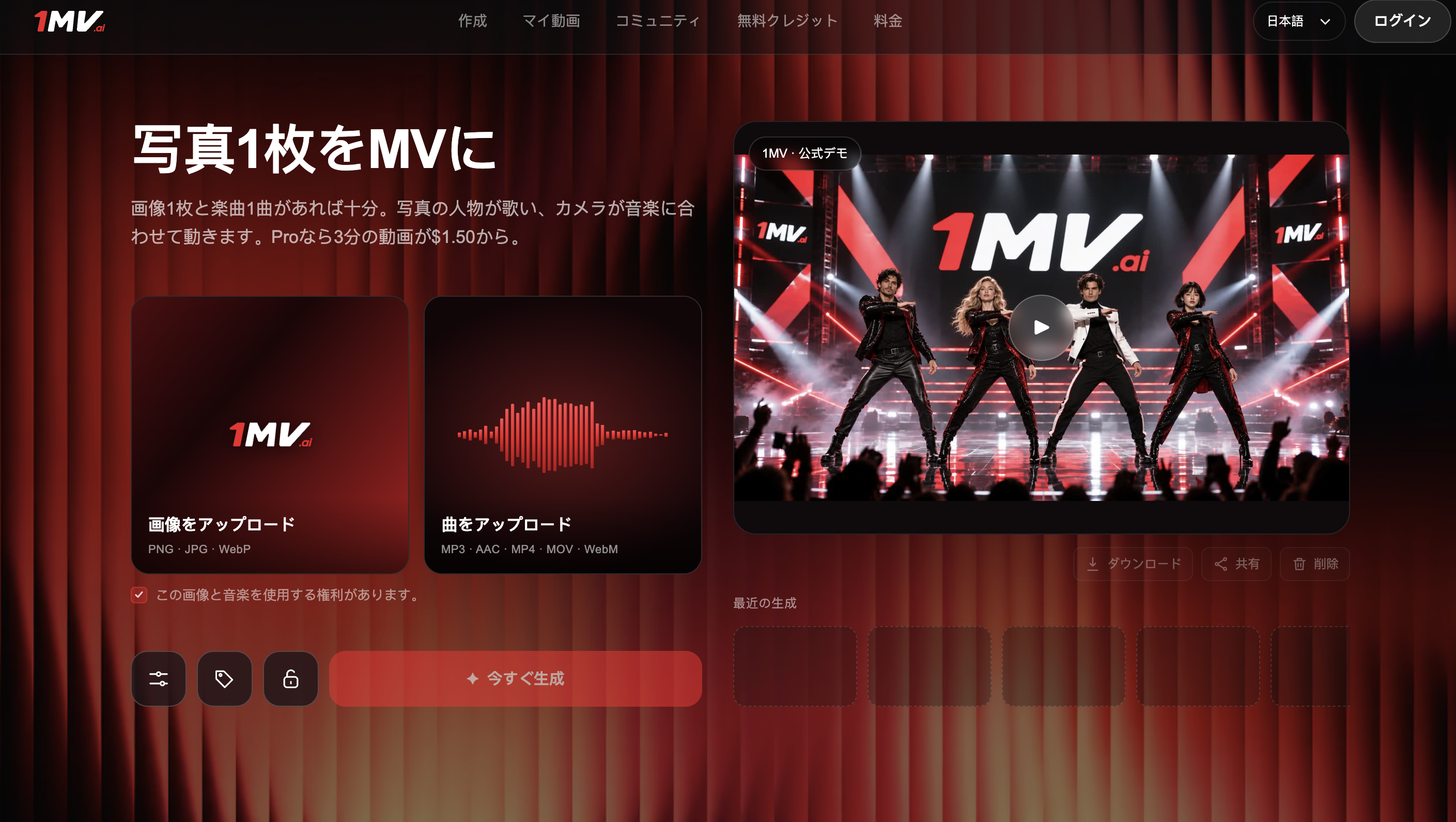
For example, 1MV, which offers a https://1mv.ai/ja/photo-to-music-video workflow, allows you to generate a music video by combining an image with a piece of music.
It automatically handles things like camera movement and angle changes, cuts synced to the beat of the music, and lip-sync matched to the vocals.
Unlike the traditional approach of gathering multiple video clips and editing them in detail on a timeline, the key feature here is that you can build your video around a single image and a track.
This is especially convenient for independent music creators and video content creators looking to simplify their production workflow.
Before producing your video, it's also important to decide where you plan to publish it.
Here are some examples of how to match formats to platforms:
| Platform | Recommended Format |
|---|---|
| YouTube | Landscape 16:9 |
| TikTok | Portrait 9:16 |
| Instagram Reels | Portrait 9:16 |
| General social media posts | Square 1:1 |
Choosing the right format for your platform means you won't need to heavily crop the video when you publish it.
After generating the video with AI, don't publish it right away — take a moment to review the whole thing first.
The key things to check are:
The results generated by AI can vary depending on the image and music used.
By swapping out assets or adjusting settings as needed, you can work toward a final video that more closely matches your vision.
Also, before publishing, make sure to check the copyright and usage terms for any photos and music you use.
Creating a music video from a single photo and a piece of music is one of the more accessible options for anyone looking to get started with video production.
By leveraging AI, you can experiment with visual expression that matches your music without relying on filming equipment or complex editing work.
Of course, there are still situations where traditional video production is the right choice. But for independent artists and creators who want to try out new ideas, these kinds of AI tools can be a real asset.
Why not start by combining your favorite photo and track to create your very own music video?