How to Automate Media Generation and Processing with AI Agents
機械翻訳 / Machine-translated

chengzhi. xiao
3日前・7分で読める

機械翻訳 / Machine-translated
@xiaochengzhi486
皆さん、こんにちは!👋 私は動画編集者です。AIを活用することで、制作プロセスをより簡単、迅速、そして楽しいものにできるのではないか――そんな可能性を探求することに、とてもワクワクしています。 私の主な仕事は、見栄えが良く、物語をしっかりと伝える動画を制作することです。アイデアの試作やビジュアル素材の生成から、映像の調整、そして最終的な仕上げに至るまで、制作ワークフローのさまざまな場面でAIを取り入れています。
The scope of AI agents extends far beyond text generation. By integrating with external tools, they can perform a wide range of tasks — from generating images and videos to processing existing media.
However, simply calling a tool is not enough to incorporate these capabilities into a real production workflow. You also need mechanisms to monitor processing progress, retrieve generated files, and hand them off to the next stage as needed.
Consider a request like: "I want to create a short video clip for a presentation."
A workflow using an AI agent might look like this:
Clarify the request
Confirm the required output format, source materials, duration, and other conditions.
Select the appropriate tool
Choose the right functionality for the job — image generation, video generation, audio processing, and so on.
Start the process
Pass the necessary files and parameters to create the task.
Monitor progress
If processing runs asynchronously, save the task ID and track its status.
Retrieve the result
Once processing is complete, fetch the media and verify that the format and quality meet your requirements.
Hand off to the next stage
Use the result in downstream processing, or have a human review it as needed.
With video and audio processing, the output is not necessarily ready the moment the request is accepted. Designing your system so that task creation and result retrieval are handled separately makes it much easier to manage the overall flow.
Model Context Protocol (MCP) is a common protocol that allows compatible AI clients to connect with external tools.
When an MCP server exposes available tools, an AI agent can select the right tool for the job and execute it by passing the defined arguments. This reduces the overhead of designing a connection method from scratch for each feature, making it especially useful when combining multiple media processing tasks.
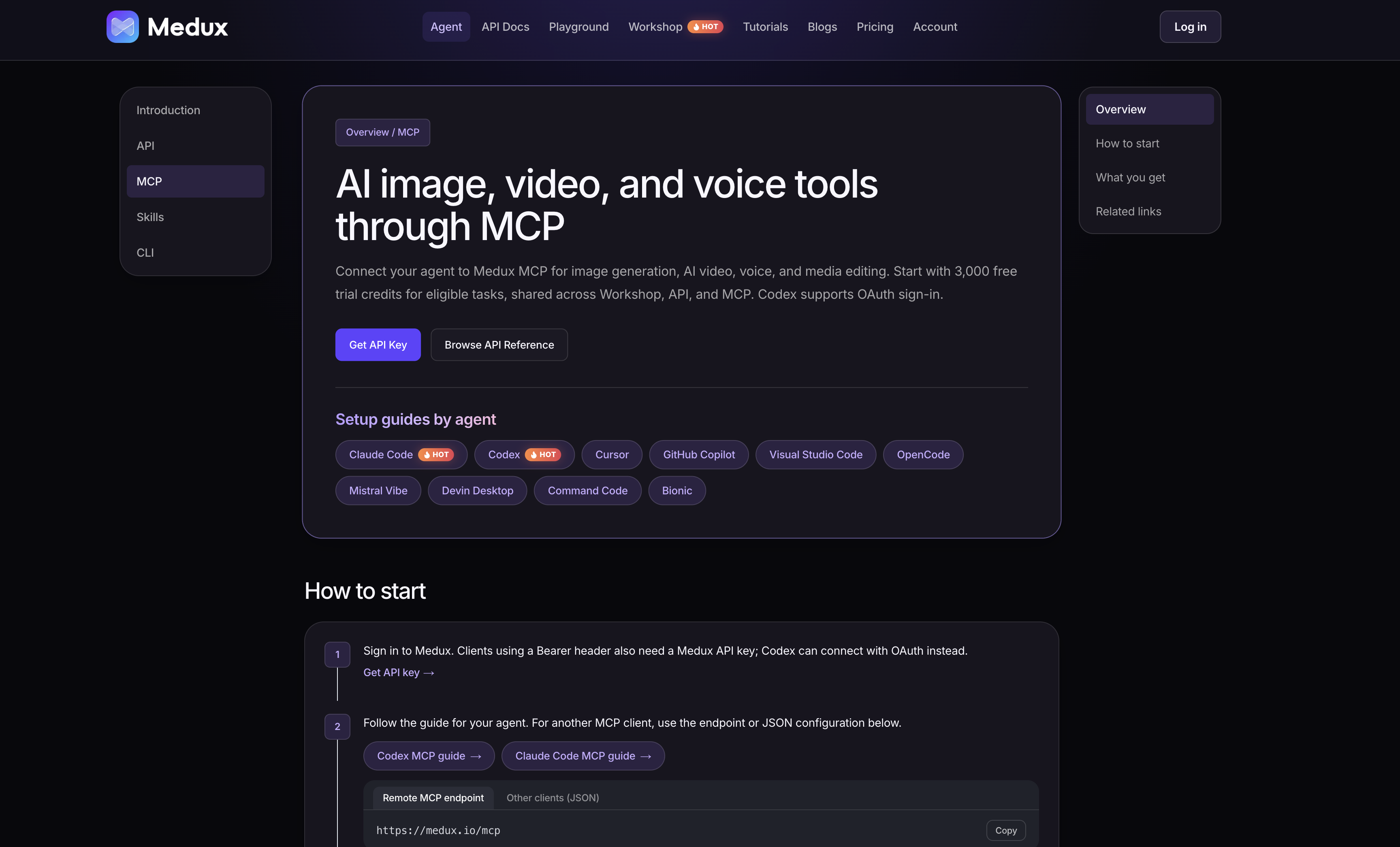
For example, if you want an agent to access image and video generation or processing capabilities, one approach is to connect a media service like Medux via MCP. Medux makes its media features available through a remote MCP, allowing you to proceed with processing using the same account and task management system shared with the API.
You can find specific instructions on how to connect in the media tools for AI agents guide.
Even when automating media processing, input file validation and credential management remain essential. Additionally, unconditionally retrying a failed task can lead to duplicate processing and unnecessary usage.
Being able to identify the type of error and determine whether a retry is warranted will make operations much smoother.
As for the generated media itself, completion alone does not guarantee it is ready to use. It is important to establish a review step appropriate to your use case — checking for unnatural elements in the video, audio quality, and so on.
By combining AI agents with MCP, you can structure media generation and processing as a cohesive workflow.
Practical automation requires more than just tool integration — it also demands task management, error handling, and result verification. Breaking processing into small steps and maintaining visibility into the status and outcome of each one forms the foundation for building a stable media workflow.
For example, if you want an agent to access image and video generation or processing capabilities, one approach is to connect a media service like Medux via MCP. Medux makes its media features available through a remote MCP, allowing you to proceed with processing using the same account and task management system shared with the API. New users also receive 3,000 credits for free upon registration, so you can test the integration while working through an actual workflow.
You can find specific instructions on how to connect in the media tools for AI agents guide.