Where Do You Start? A 30-Minute First-Day Checklist
From the day you sign up to publishing your very first post
機械翻訳 / Machine-translated
2026年8月4日・7分で読める

From the day you sign up to publishing your very first post
機械翻訳 / Machine-translated
After registering, what should you do first? There are just four things. The whole process takes about 30 minutes. Follow this article step by step, and you can publish your first post today.
This is the very first thing you should do. Many people who read your articles will visit your profile afterward. If it's empty, they'll leave right there.
There are four things to set up:
Just be a little careful with your username (the string after @). This becomes the URL for your page (miraipage.net/yourusername). You can change it later, but once you do, the old URL will no longer work. It's safer to decide before putting it on a business card or social media.
Go to "Write" and create a new post. A screen will ask you to choose a format — if you're not sure, Standard Article is perfectly fine.
You can write in Markdown. ## for headings, - for bullet points, **bold** for emphasis. That's really all you need.
Titles can be up to 100 characters, but in practice 20–30 characters is the most readable length. When displayed in listings or on social media, titles that are too long get cut off.
Don't feel pressured about the content. "What you do," "what you've been thinking about lately," or "something people often ask you." Any one of these will give you something to write about.
A lot of people skip this step — but if you skip it, no one will find your post.
Categories are used for filtering on the "Explore" page. Since you can only choose one, pick whichever best represents the core of your article.
When your post appears in a listing, the thumbnail is what readers look at first to decide whether to click. You can set an image up to 5 MB.
One small detail worth knowing: if you don't set a thumbnail, the first image in the body of your article will automatically become the thumbnail. If you're planning to include images in the article, simply put the one you most want to show at the top — it will automatically serve as the thumbnail.
The flip side: if your first in-body image is a plain diagram, that plain diagram is what shows up in the listing. Keep that in mind.
Pressing the publish button isn't the end of it.
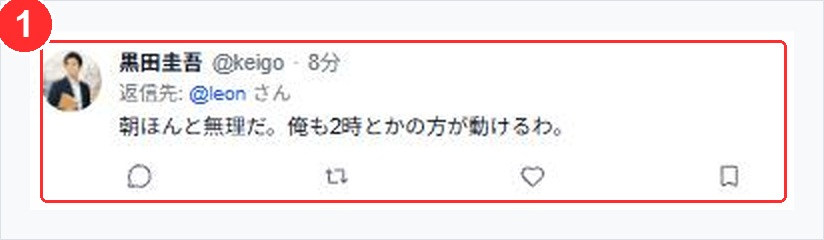
The "Now" timeline. ① is a single post. No title, no thumbnail — just the text flows through.
To summarize:
You don't need a perfect profile or a perfect first post. An account with even one rough post is vastly stronger than an empty account.
Next time, I'll write about post formats other than the standard article. MiraiPage has several formats beyond articles — including manga, slides, fiction, events, and surveys. I'll break down which to use and when.