It's Not Just Articles. How to Use All 15 Post Formats
Manga, slides, fiction, events, surveys — which to use and when
機械翻訳 / Machine-translated
2026年8月4日・9分で読める

Manga, slides, fiction, events, surveys — which to use and when
機械翻訳 / Machine-translated
When you press "Write" on MiraiPage, a screen appears asking you to choose a format. There are 14 options beyond the standard article. Since most people skip past all of them, let's sort out which format to use and when all at once.
To be clear upfront: a standard article will cover 90% of what you need to post. Other formats are escape routes for when a standard article is clearly inconvenient.
So think of this article as a reference to come back to whenever you feel that friction.
The default format, written in Markdown. Suitable for almost everything.
Displays a standard article in a wider layout. The content is the same, but articles heavy with images, tables, or code blocks can feel cramped at the standard width. Great for technical articles with rows of screenshots or articles containing comparison tables.
A brief note of up to 200 characters. Rather than a full write-up, it flows into your timeline in the moment — feels like X, with replies included. Use this for thoughts that don't quite warrant a full article.
Supports narou-style notation. Ruby text, emphasis dots, and page breaks all work natively. The big advantage is being able to paste a manuscript from another site almost as-is. Organize chapters into a series and readers get a table of contents.
Upload page images and they become a full-screen swipe viewer. The reading experience is on a completely different level compared to just lining up images one by one.
Collects multiple images into a full-screen view. Ideal for picture books, photo collections, or portfolios. The difference from Manga: ask yourself whether the order of viewing is the point. If the sequence carries meaning, use Manga; if you want readers to browse individual pieces, use Gallery.
Create a 16:9 deck and present it in full screen. Perfect for publishing study session materials or proposals just as they are.
Just paste a YouTube or Vimeo URL. Rather than uploading video directly, this format pairs existing videos with accompanying text.
Upload a PDF and deliver it through a built-in viewer. Maximum 10 MB. Ideal for distributing documents.
Upload mp3, m4a, or wav files and let listeners play them back in a player. Maximum 25 MB.
Let viewers experience 3D models, images, and location-based AR on their smartphone via QR code. Powerful when you want to show your work in three dimensions.
Create an announcement page with date, location, and capacity — and accept reservations right there. Registrants automatically receive reminder emails.
Build questions using multiple choice, free text, rating scales, and address fields (with postal code lookup), then collect and tally responses. Results are viewable as charts, and you can attach images to questions and answer choices.
A full spreadsheet with cells and formulas. The author edits it like a spreadsheet, while readers see it displayed as a clean, readable table. Great for publishing pricing tables or data sets.
Create a show and distribute audio episodes. RSS is generated automatically, so you can go on to submit your podcast to Apple Podcasts or Spotify. Use Music for a one-off audio file; use Podcast if you're building an ongoing show.
| What you want to do | Format |
|---|---|
| Write something | Standard Article |
| Lots of images, tables, or code | Wide Article |
| Just a quick thought | Short Post |
| Use ruby text or emphasis dots | Fiction |
| Make readers flip through pages | Manga |
| Display a collection of works | Gallery |
| Share presentation materials | Slides |
| Add text to a video | Video |
| Distribute a document | |
| Share audio | Music |
| Show something in 3D | AR |
| Gather an audience | Event |
| Collect opinions | Survey |
| Publish a table of numbers | Spreadsheet |
| Run an ongoing audio show | Podcast |
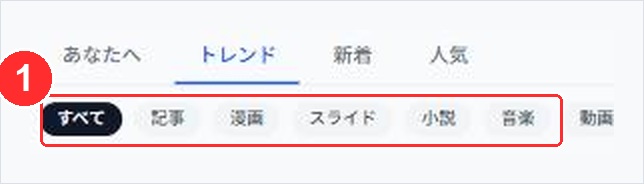
The "Discover" page. The chips marked ① let you filter by format. This is where readers search by content type.
One practical point before we wrap up.
Republishing the same content in a different format is perfectly fine. If you gave a talk with slides, write the same content up as a standard article too. If an article takes off, distill the key points into a slide deck. Changing the format changes who you reach.
Next time, I'll write about the settings that determine whether your articles actually get read.